
RTK: less terminal noise for coding agents
My experience with RTK, a fast Rust CLI tool that shortens terminal output for LLMs and coding agents while keeping context cleaner.
Published · April 18, 2026
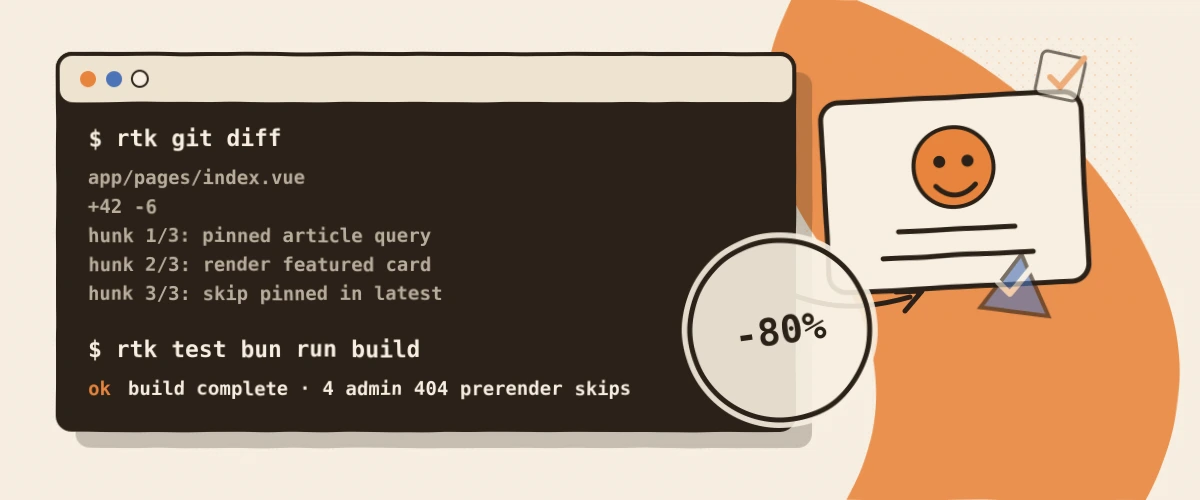
Coding agents are surprisingly good at working through code.
They are also surprisingly good at filling their context with terminal output nobody needed at that length.
A git status here.
A grep there.
A test run that prints 200 lines of success noise when only three error lines mattered.
And suddenly the context is no longer the problem.
It is terminal noise.
That is why I like RTK.
Not because it is spectacular.
Because it makes a very boring thing smaller.
What RTK actually does
RTK stands for Rust Token Killer and lives here: github.com/rtk-ai/rtk.
The idea is simple: RTK sits in front of common terminal commands and gives the agent a condensed version instead of the full wall of text.
Status.
Relevant files.
Errors.
Diffs.
Summaries.
Not to hide information.
To cut away what is only eating space in an agent context right now.
What changes in practice
The difference is not that my terminal suddenly becomes exciting.
Thankfully.
The difference is that an agent sees what is going on faster. rtk git status is not a small Git novel. rtk git diff points more directly at the relevant parts. rtk grep feels less like a raw wall of matches. And with tests, I usually do not care which 97 things passed. I care what broke.
That sounds small.
It is.
But those small things often decide whether an agent session stays clean or slowly drowns in text junk.
Why this fits agents especially well
I work a lot with coding agents. They are strong, but they eat context.
Raw terminal output is often absurdly wasteful there: 200 lines when only three matter.
RTK sits exactly at that point and turns "here is everything" into "here is what you probably need".
It has integrations and hooks for several agent setups, including Claude Code, Codex, Cursor, Windsurf, Pi and others.
You can also just call RTK directly in front of commands.
What it is not
RTK is not a substitute for understanding.
And it is not a magical "makes everything faster" layer.
If I need the complete output, I want the complete output. If a tool needs raw debugging, I skip RTK.
That matters to me: RTK should not decide what is true. It should only sort the first look.
Who it is worth it for
People who live in the terminal and work with LLMs or coding agents.
If you regularly throw logs, diffs, search results and test output into an agent context, RTK is one of those tools that disappears after setup.
Best compliment.
It is not a big productivity promise.
It is just less noise exactly where noise gets expensive.
And that is pretty good stuff.
✦RTK is beautifully unspectacular: less terminal noise, less token waste, faster orientation.
More good stuff
 Game Changer
Wispr Flow: Talking to Agents Instead of Enter-Enter-Enter
My experience with Wispr Flow as voice input for long sessions with AI agents, where typing is too slow and I would otherwise just click option A.
Not as a dictation gimmick, but because I finally tell my agent what I actually mean instead of clicking the next-best option. Würd ich wieder kaufen
Ninja Luxe Café Premier: the honest middle ground between a portafilter and a bean-to-cup
My experience with the Ninja Luxe Café Premier: why it is the perfect middle ground between portafilter effort and bean-to-cup mediocrity.
No portafilter theater, no bean-to-cup compromise. The first coffee machine I stopped looking past. Daily Driver
Quooker Cube: expensive, unnecessary, and worth it every single day
My experience living with the Quooker Cube: instant boiling water for tea, chilled sparkling water on tap and whether the steep price is actually worth it.
An absurdly expensive tap that never feels spectacular, and is worth it every single day for exactly that reason.