
Gmail to Calendar: The Only Email Automation I Actually Wanted
My experience with a small AI automation that detects appointments in Gmail, summarizes them, and asks before anything lands in the family calendar.
Published · June 14, 2026
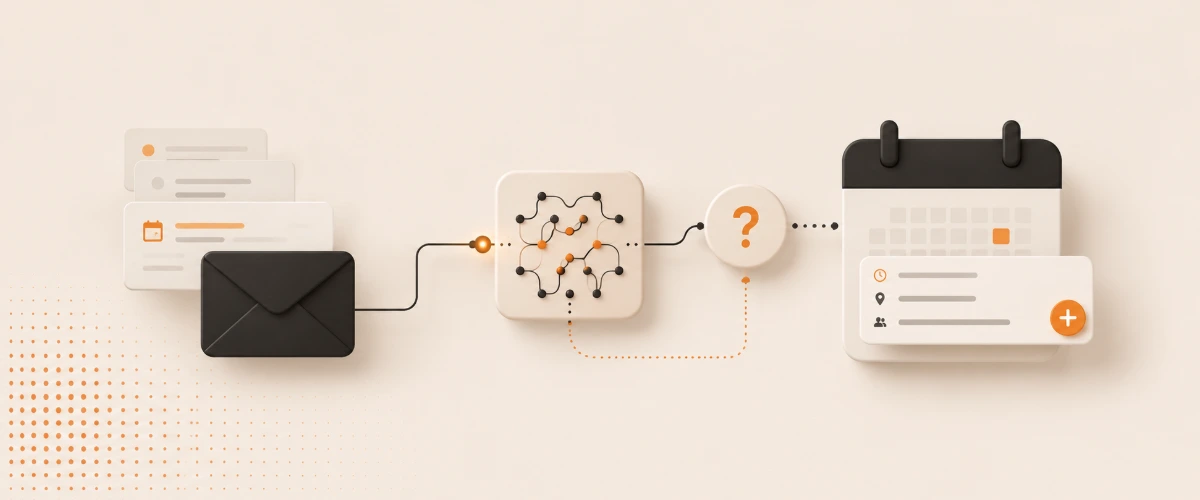
I do not want AI to answer my emails.
At least not automatically. I have enough respect for my inbox and for misunderstandings that the idea feels roughly as relaxing as giving a robot my house key and a bad mood.
What I do want: appointments should stop disappearing inside emails.
Doctor appointments, contractor windows, delivery notices, club things, contract things, medical practice things. Somewhere in there is a date, usually a time, sometimes a location, and my brain says: I will do that in a minute.
Spoiler: Usually not.
The problem is not email. The problem is hiding.
Email is fine for many things.
For appointments, it is weirdly bad.
An appointment inside an email is not an appointment yet. It is a piece of text I have to read, understand, remember, transfer into the calendar, and ideally not copy incorrectly.
In a normal single-person household, that is already annoying.
In a family calendar, it quickly becomes absurd. If it is not in there, it basically does not exist. It may still be somewhere in Gmail, but Gmail does not get anyone to the concert on time.
That was the gap I wanted to close.
Not with a huge AI that organizes my life.
With a small automation that asks one question better than I do: does this email look like an appointment?
Why normal email notifications do not help
The obvious solution would be: more notifications.
That is almost always the worst solution.
I do not need another push notification telling me that something in an email might be important. I also do not need a filter that marks every semi-official email as important. Then everything is important, and my brain goes back to doing what it does best: ignoring it.
The problem is not that I get too few signals.
The problem is that the signals are too vague.
An email with an actual appointment should be treated differently from a shipping confirmation, a newsletter, or a polite reminder that some terms of service were updated somewhere. The latter may be legally fascinating. For my life, less so.
Why direct calendar automation would be risky
The other obvious solution would be: AI writes appointments directly into the calendar.
Sounds efficient.
I hate it immediately.
A calendar is not a notepad. Especially not a family calendar. If something is in there, other people plan around it. A wrong appointment is not just a small data error. In the worst case, it becomes an actual everyday problem.
Emails are also mean.
They do not simply say: Dentist, Tuesday, 10:30.
They say: the original appointment is cancelled, the new suggestion would be Tuesday, Thursday would also work, please confirm by tomorrow. Or: the event is not at the location in the letterhead, but in room 2.14. Or: the date is just a deadline, not an appointment.
I do not want that in my calendar without checking it first.
Automation is good.
Blind automation is a very fast way to create very precise nonsense.
The good middle ground: detect, summarize, ask
That is why my Gmail-to-Calendar automation is deliberately boring.
It should not take over my inbox.
It should not reply.
It should not delete anything.
It should also not secretly add appointments.
It checks whether an email probably contains an appointment. If it does, it pulls out the relevant pieces: occasion, date, time, location, and the context for why it thinks this could be a calendar entry.
Then it asks.
That last step is the important one.
Not because I enjoy adding another click. But because that click turns an automation into a tool. The AI detects. I decide.
That is the same kind of AI usefulness I like about the Hermes Agent: no big future theatre, just one annoying little handoff made cleaner.
What works well about it
The magic is not that AI can operate a calendar.
A script can do that if it has to.
The useful part happens before that.
- Appointments become visible. An email stops being just an email and becomes a concrete question: should this go into the family calendar?
- The context comes with it. Not just date and time, but also occasion, location, and the short reason why the email might be relevant at all.
- I search less. No later
Where was that again?, no frantic digging through Gmail right before we need to leave. - The calendar stays clean. Because nothing is added without approval, the family calendar remains a place for real decisions, not AI guesses.
All of that sounds small.
It is.
But those small handoffs are often exactly where everyday things get lost.
What deliberately stays unautomated
I do not want AI acting as if it has authority.
Especially not with email.
So a few things intentionally stay human:
- No unchecked calendar entry. The automation may suggest, but it does not decide on its own.
- No email replies. Nothing gets confirmed, cancelled, or politely phrased in the wrong direction.
- No interpretation as truth. If an email is ambiguous, it is ambiguous. Then I need to look at it.
- No productivity religion. The goal is not to optimize every second of my life. The goal is to make one recurring small mistake happen less often.
And yes: with something like this, you have to think honestly about access and privacy.
An automation that reads emails is not harmless just because the word AI is involved. For me, the idea only works if the access is narrow enough, the purpose stays clear, and a calendar helper does not suddenly become an everything-reader.
Would I recommend it?
Yes.
But not as a big AI productivity promise.
I would recommend it if appointments regularly land in your email and you then have to move them into a calendar manually. Especially if multiple people depend on that calendar and a forgotten entry does not stay your problem alone.
I would not recommend it if you already have a perfectly maintained calendar system, barely use email as an appointment source, or generally feel uneasy about automation with email access. That is legitimate. The gut gets a vote with these things.
For me, this automation is exactly right because it pauses at the decisive point.
It does not pretend AI is now my secretary.
It only says: this looks like an appointment. Do you want to take it over?
And sometimes the best automation is exactly the one that asks before it does something.
✦Not AI taking over my email. Just AI saying: this looks like an appointment.
More good stuff
 Daily Driver
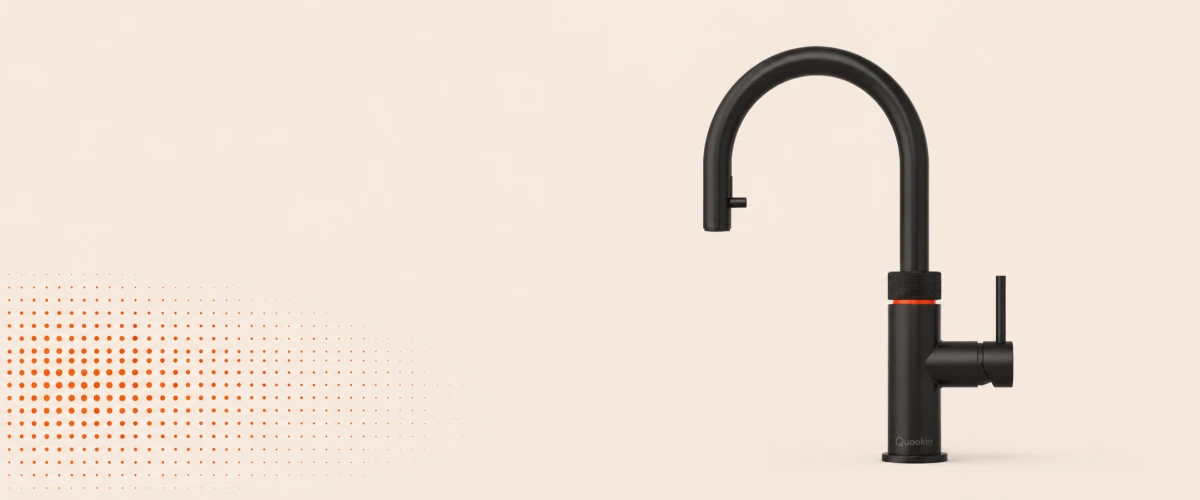
Quooker Cube: expensive, unnecessary, and worth it every single day
My experience living with the Quooker Cube: instant boiling water for tea, chilled sparkling water on tap and whether the steep price is actually worth it.
An absurdly expensive tap that never feels spectacular, and is worth it every single day for exactly that reason. Daily Driver
Vercel: my favorite host for TypeScript projects
Why Vercel is the most pleasant host for TypeScript web projects, Nuxt, Next and fast deployments for me, both privately and at work.
Vercel is the host where I can focus on my project instead of all the surrounding infrastructure. Heißer Tipp
Project Hail Mary: the film where the cinema really went quiet
My spoiler-light recommendation for Project Hail Mary in original audio, a science-fiction film that did not lose me for a single minute.
I barely watch films, but this one held me so completely that even the silence was tense.